
How to Reinstate Your Cancelled SRD Grant
Did your circumstances change? This guide provides a clear, visual walkthrough of the official SASSA SRD reinstate process to reactivate your application.
Start the Step-by-Step GuideIf you previously cancelled your SASSA SRD grant but your circumstances have changed, you can request to have it reinstated. The sassa srd reinstate process reactivates your application so you will be considered for the grant in the upcoming months. This guide provides a foolproof, step-by-step walkthrough of the official online process.
When Should You Reinstate a Cancelled SRD Grant?
The most common reasons to reinstate your application include:
- Change in Financial Circumstances: You previously had an income but are now unemployed and meet the eligibility criteria again.
- Application Cancellation Error: Your application was cancelled by mistake, either by you or due to a system error.
- Incorrect Information Previously Provided: You cancelled your grant to correct critical information and now need to reactivate it.
Advertisement
How to Reinstate Your SRD Grant Online: Step-by-Step
Follow this official guide to reactivate your grant application correctly.
Go to the Portal & Enter Your Details
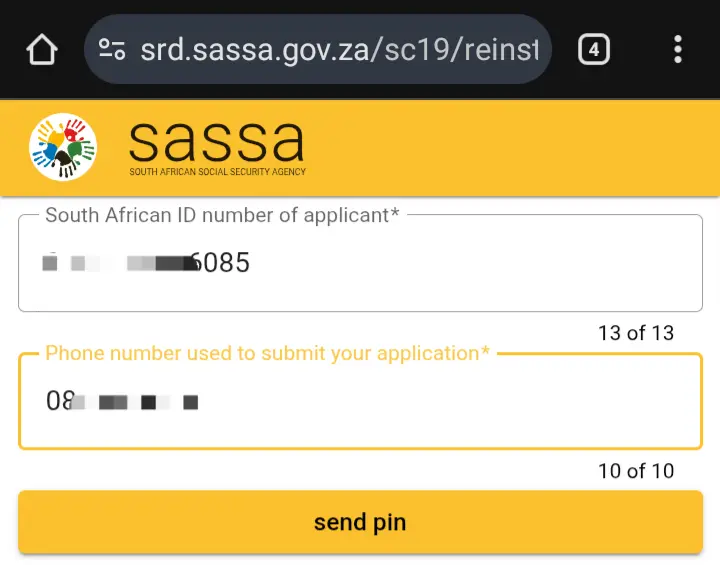
Navigate directly to the official SASSA SRD reinstatement website at srd.sassa.gov.za/sc19/reinstate. On this page, enter your 13-digit ID Number and the phone number you applied with, then click “Send Pin”.
Enter the OTP and Submit
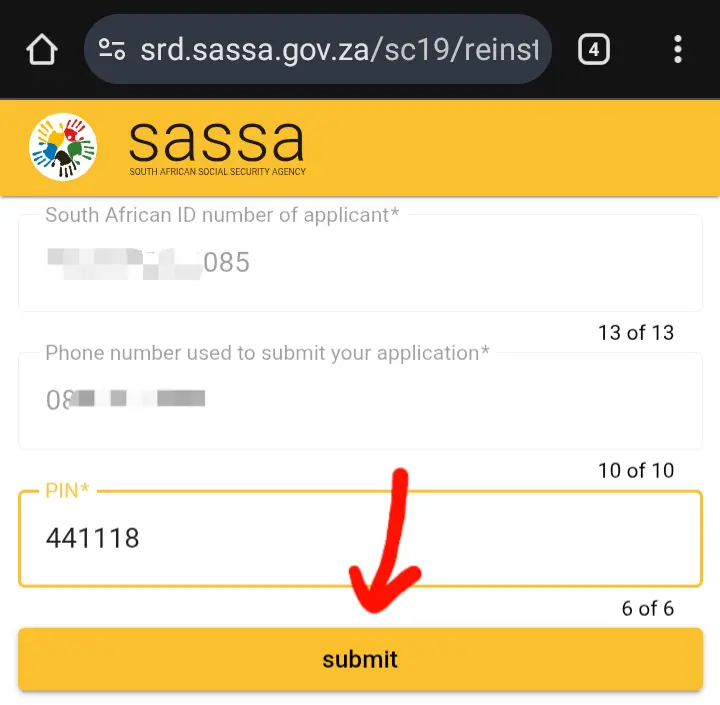
You will receive a 6-digit One Time Pin (OTP) via SMS. Enter this code into the “Pin” field on the website and click “Submit” to confirm your identity.
Begin Identity Verification
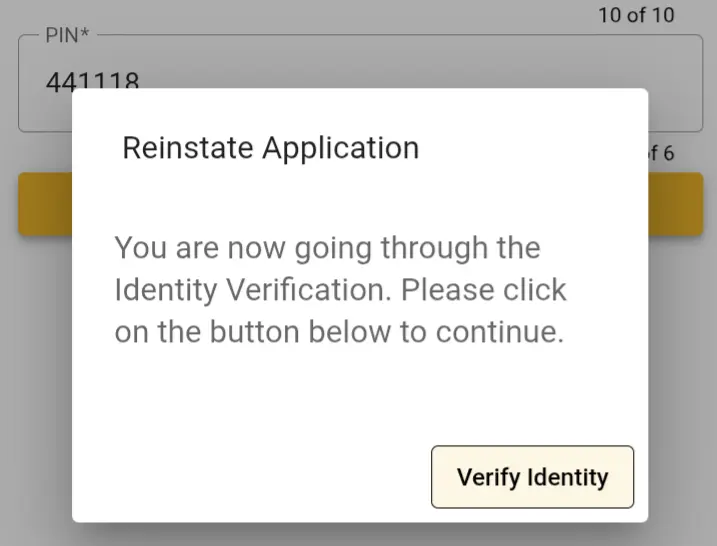
After submitting the pin, a pop-up window will appear. This is a crucial security step. Click the “Verify Identity” button to proceed.
Allow Camera Access and Complete Scan
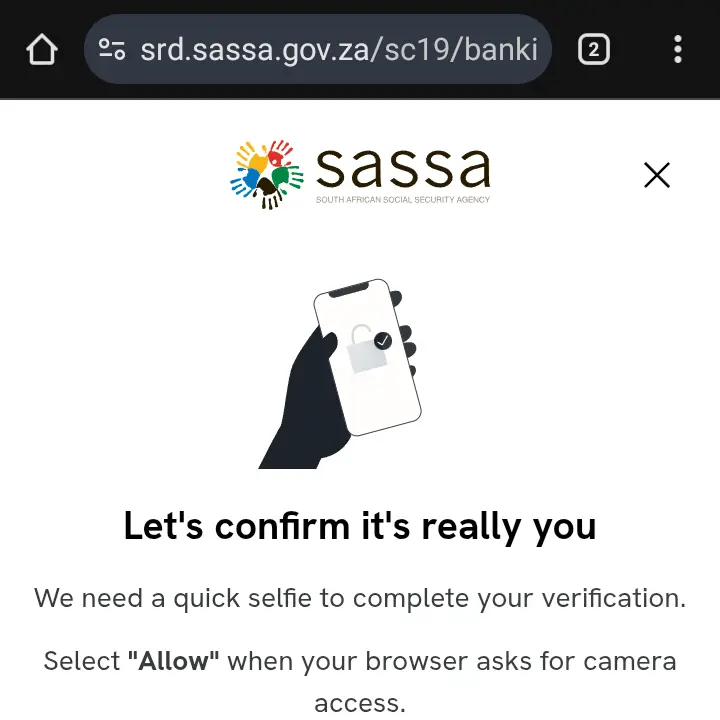
Your browser will ask for permission to use your device’s camera for a facial recognition scan. You must click “Allow”. Follow the on-screen instructions to complete the scan successfully.
Confirm Reinstatement
Once you successfully pass the identity verification, you will be redirected to a final confirmation page. Here you will be asked if you are sure you want to reinstate your grant. Click the final confirmation button. You should receive an SMS confirming that your application is now active again.
Finished the Guide? Reinstate Your Grant.
You have the knowledge. Now you can reinstate your grant with confidence.
Go to Official Reinstatement SiteWhat Happens After You Reinstate?
After you reinstate cancelled srd grant, your application will be active again for the next payment cycle. You must perform an SRD status check to see if you are approved for the upcoming months.
Check Your Status NowAdvertisement
Frequently Asked Questions (FAQ)
How long does it take for my grant to be reinstated?
The reinstatement is usually processed instantly. Your application will then be included in the verification checks for the next payment cycle. It does not mean you are automatically approved, only that your application is active again.
If I reinstate, will I be paid for the months I missed?
No. Reinstating your grant makes you eligible for future consideration. It does not retroactively pay you for the months when your grant was cancelled.
I no longer have the phone number I used to apply. What do I do?
You must have access to your registered phone number to receive the OTP for verification. If you no longer have that number, you must first follow the official process to change your SRD phone number before you can reinstate your grant.
