
SASSA Online Application: A Step-by-Step Guide
Applying for the Social Relief of Distress (SRD) grant can be tricky. This guide provides a clear, visual walkthrough to ensure you get it right the first time.
Start the Step-by-Step GuideReady to Apply Now?
If you are confident, you can go to the official website. We strongly recommend reading our guide below to avoid common errors that can cause delays.
Go to Official SASSA SRD SiteThe SASSA online application is the only official way to apply for the SRD R370 grant. This process is done entirely online to ensure it is fast and efficient. To help you succeed, this guide will walk you through every step, from starting your application to the final submission, using clear instructions and screenshots.
Before You Begin: A Quick Checklist
To ensure your SASSA SRD application goes smoothly, make sure you meet the eligibility criteria and have the following ready:
- You must be a South African citizen, permanent resident, or refugee.
- You must be unemployed and have no other source of income.
- You are not receiving any other social grants, UIF payments, or NSFAS funding.
- Have your South African ID number ready.
- Have access to your cell phone with a working number, as you will receive an SMS code.
Advertisement
SASSA Online Application for South African ID Holders
This detailed, step-by-step guide is for South African citizens. Follow each step carefully to ensure your application is successful.
Go to the Official SASSA Website
First, visit the official SASSA SRD website at srd.sassa.gov.za. This is the only legitimate site for the srd sassa gov za application.
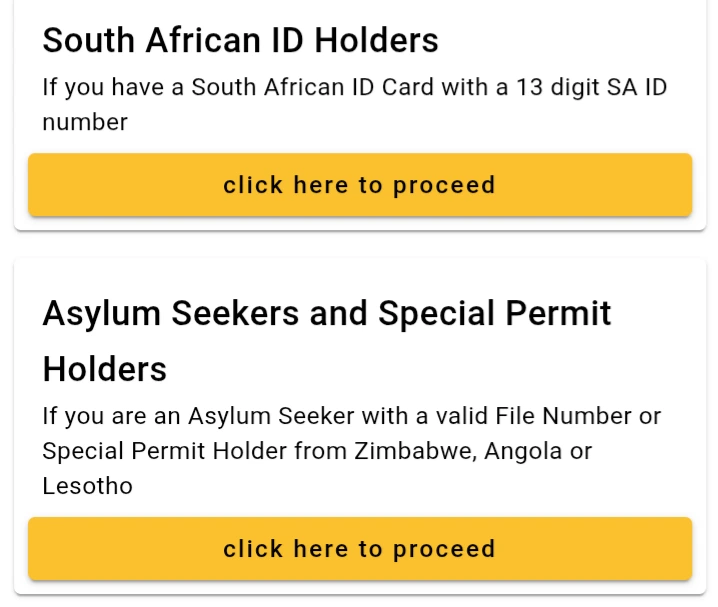
Choose Your Applicant Type
Scroll down the page until you find the section that asks for your citizenship status. Under “South African ID Holders,” click the yellow button that says “Click here to proceed”.
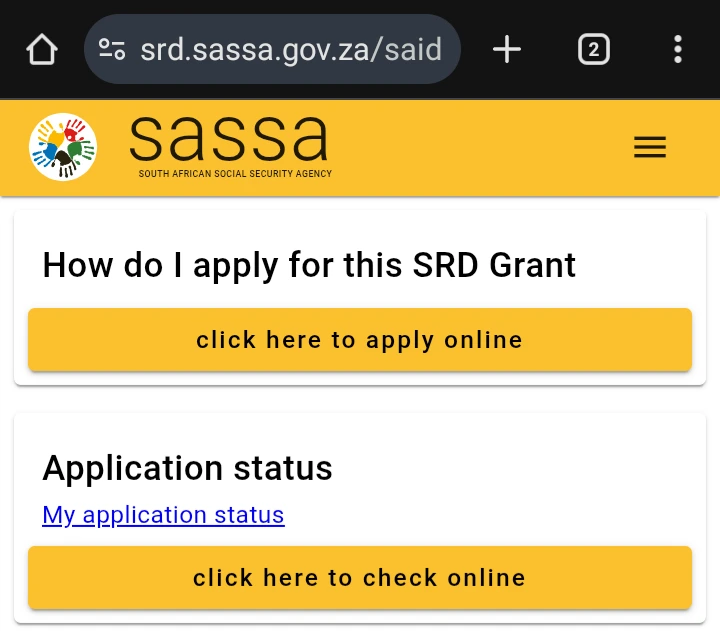
Click the “Apply Online” Button
On the next page, under the heading “How do I apply for this SRD Grant,” click the yellow button that says “click here to apply online”.
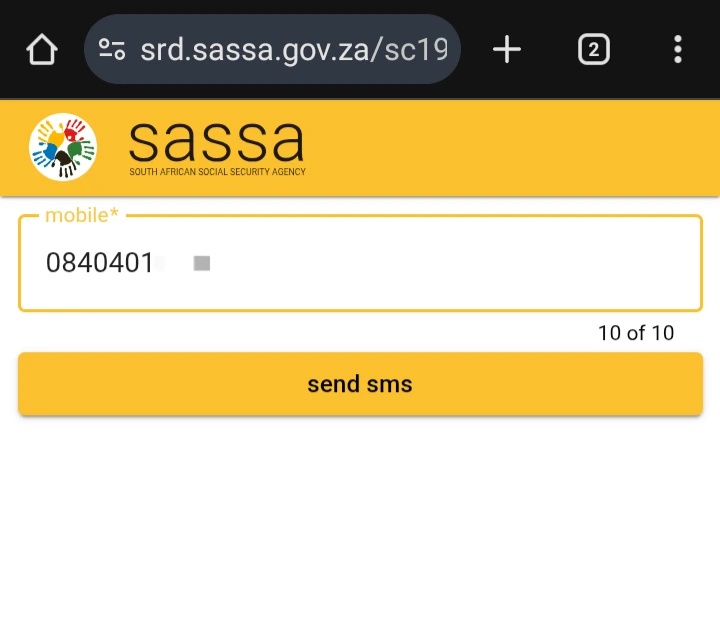
Enter Your Mobile Number
The system will now prompt you to enter your mobile number. Enter your active cell phone number and click “Send SMS”. This is a critical step as this number will be used for all future communication.
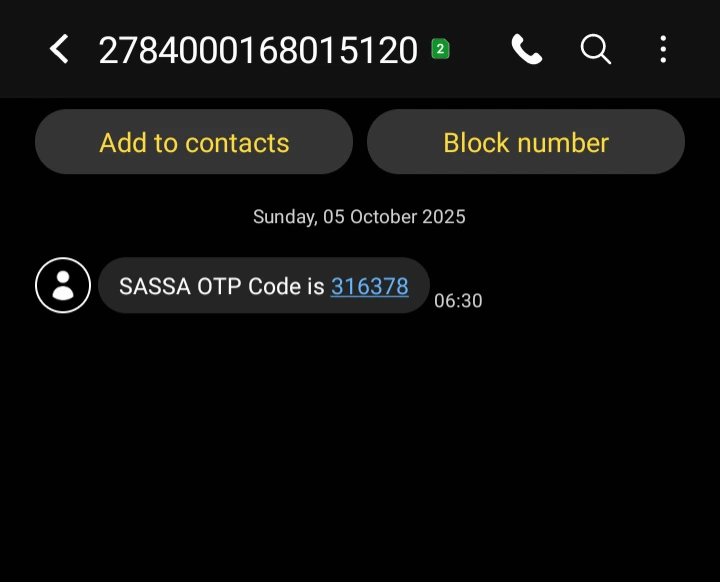
Receive and Copy the OTP
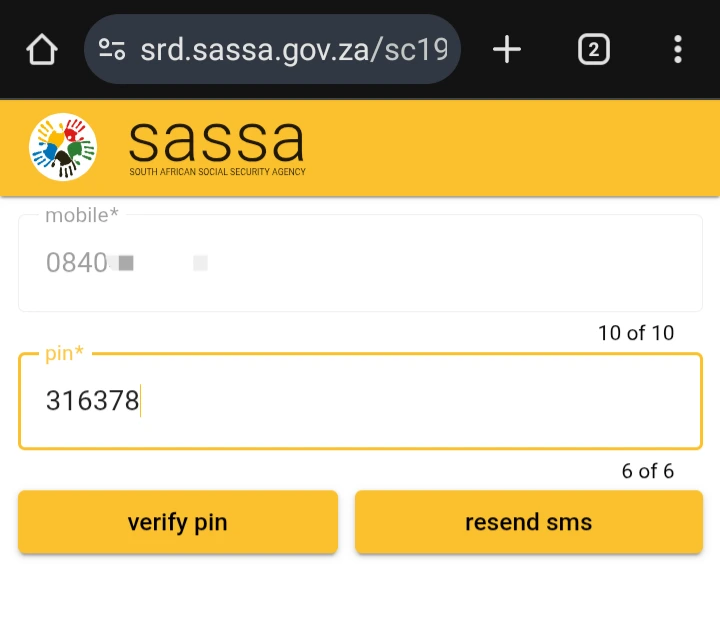
You will receive a 6-digit One Time Pin (OTP) via SMS to the number you provided. Find this message on your phone and copy or remember the code for the next step.
Verify Your PIN Code
Return to the application page and enter the 6-digit code into the box. Click “Verify Pin”. This confirms you are the owner of the cell phone number.
Agree to the Terms and Conditions
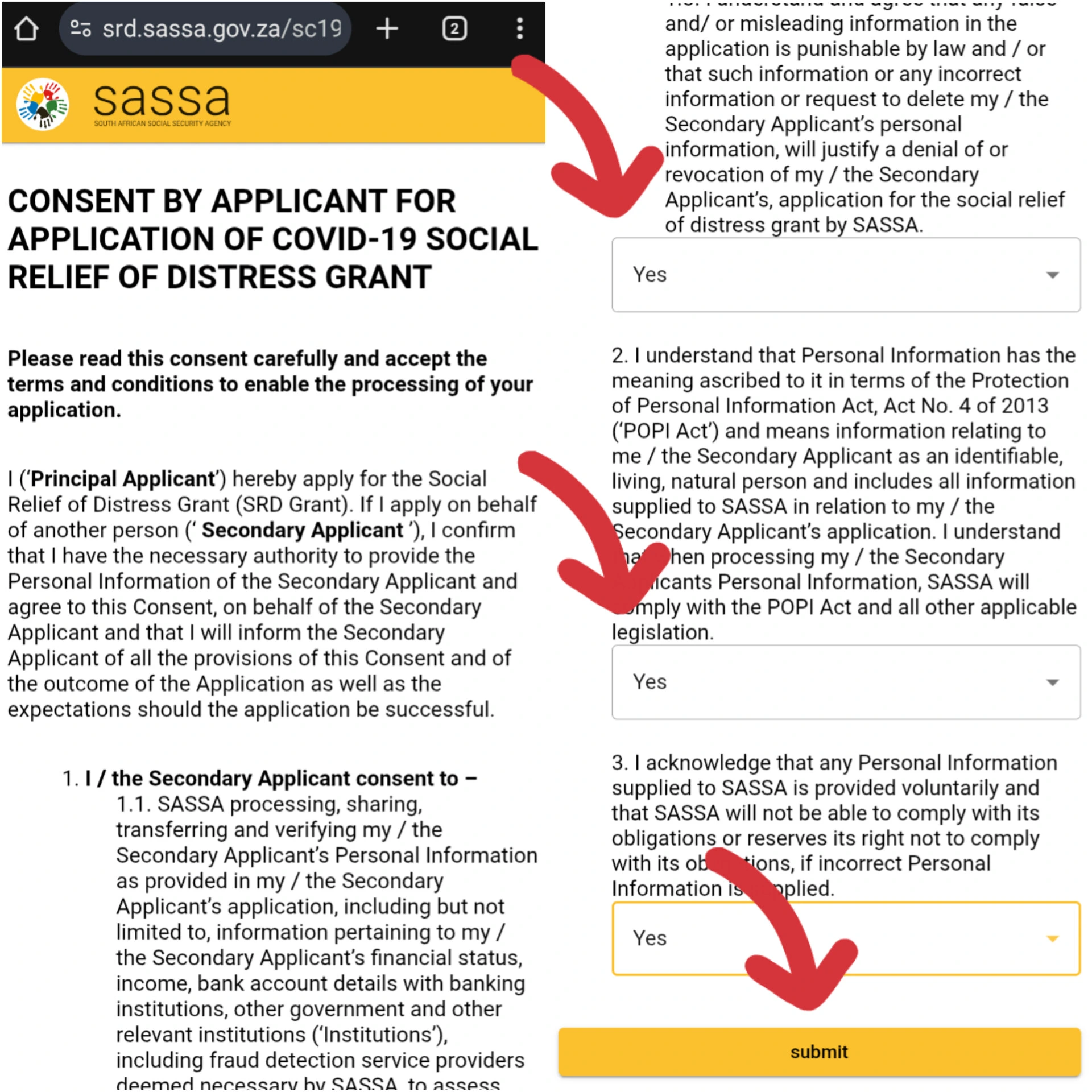
You must agree to the terms of the grant. Read through the consent form and agree to the statements, such as allowing SASSA to verify your identity and financial information. Once done, click “Submit”.
Provide Your Personal Details to Finalize
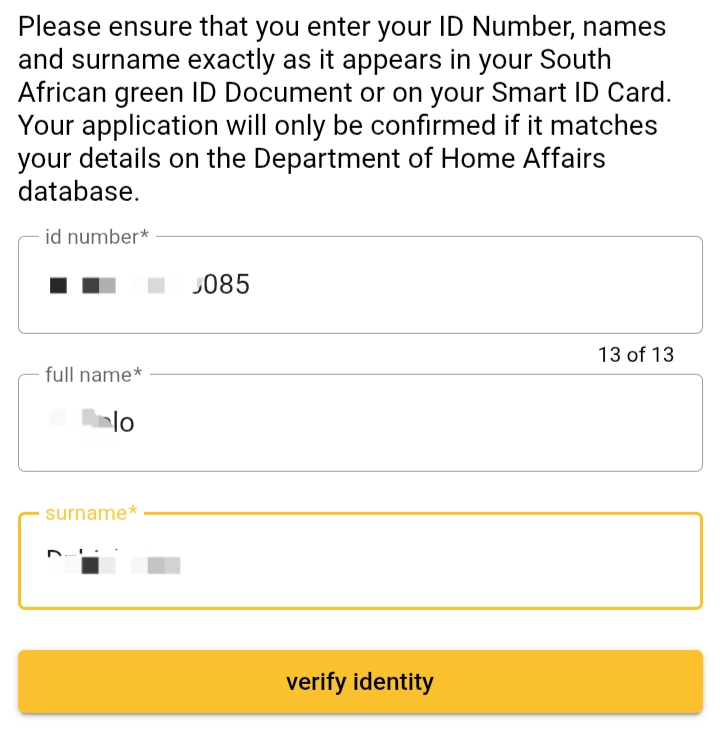
Finally, carefully enter your personal details, including your ID number, full name, and surname exactly as they appear on your ID document. Click “Verify Identity”. After this step, your SASSA SRD application is complete, and you should receive an SMS confirming that it is being processed.
Finished the Guide? Apply Now.
You have the knowledge. Now you can apply with confidence on the official website.
Go to Official SASSA Site to ApplyAfter You Apply: Check Your Status
Once your application is submitted, you will need to perform a SASSA SRD status check regularly to see if you have been approved. Our step-by-step status check guide will show you exactly how.
Learn How to Check Your StatusApplication for Asylum Seekers & Special Permit Holders
The process for Asylum Seekers and holders of Special Permits from Zimbabwe, Angola, or Lesotho is slightly different.
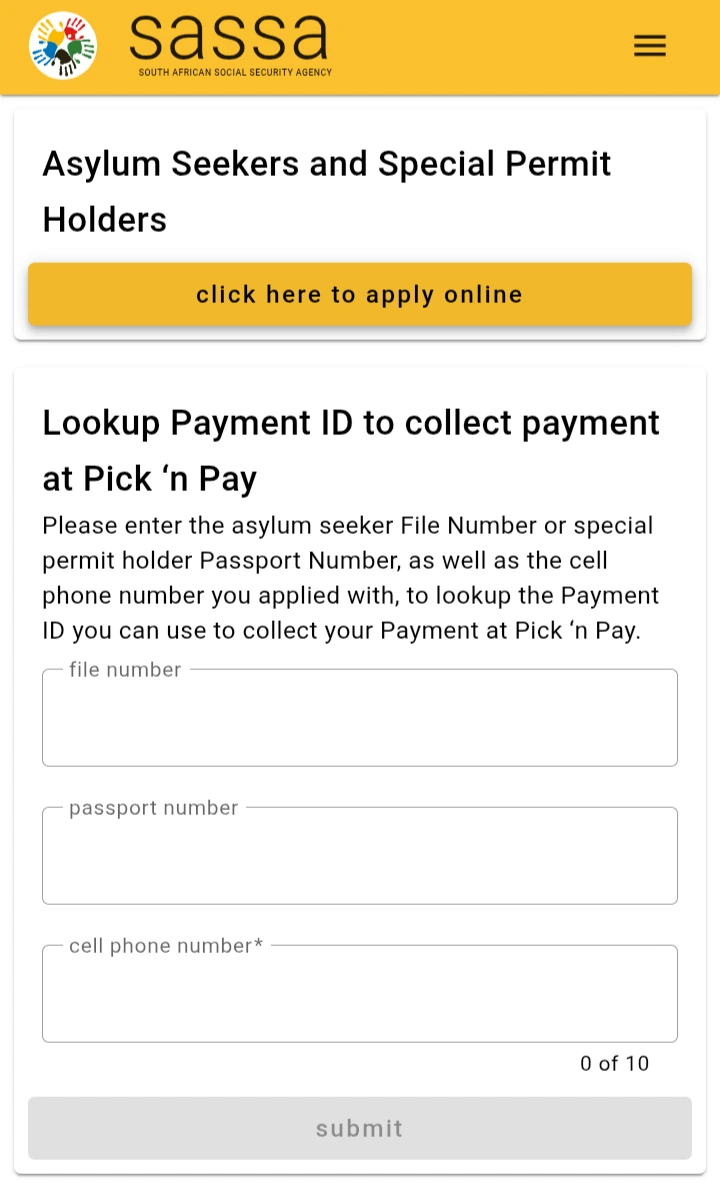
- On the official SASSA SRD page, scroll down and click the yellow button under “Asylum Seekers and Special Permit Holders”.
- On the next page, click “apply online”. You will then be prompted to enter your file number, passport number, and cell phone number to begin your application.
Advertisement
Frequently Asked Questions (FAQ)
What documents do I need for the SASSA online application?
You do not need to upload any documents for the SASSA online application. You only need your ID number and a valid cell phone number. SASSA verifies your information digitally with other government departments.
Can I apply for the SRD grant without a bank account?
Yes, you can apply without a bank account. During the application process, you can choose to receive your payment via a cash send option at participating retailers like Pick n Pay, Boxer, or Shoprite. However, having your own bank account is the recommended and often faster method.
How do I know if my SASSA online application was successful?
After submitting, you should receive an SMS confirming your application has been received. This does not mean it is approved. To know if you were successful, you must regularly perform an SRD status check. If your status is “Approved,” then your application was successful for that month.
