
How to Update Your SASSA Banking Details
Need to change the bank account for your SRD grant? This guide provides a clear, visual walkthrough of the official process to update your banking details sassa online.
Start the Step-by-Step GuideKeeping your banking details sassa up to date is the only way to ensure your SRD grant payments are sent to the correct account without delays. If you’ve closed an account, opened a new one, or have security concerns, you must follow the official online process. This guide will show you exactly how to do it safely and correctly.
When Should You Update Your Bank Details?
You should update your sassa bank details immediately if any of the following apply to you:
- Account Closure: Your previous bank account has been closed.
- New Bank Account: You have opened a new bank account and want your grant paid into it.
- Security Concerns: You are worried about the security of your current account.
- Switching Banks: You simply prefer to use a different bank for your grant payments.
Advertisement
How to Change Your SASSA Banking Details Online: Step-by-Step
Follow this official, foolproof guide to update your bank details correctly.
Go to the Official SASSA Website
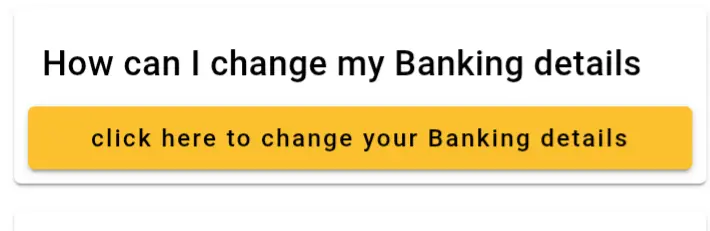
Navigate to the official SASSA SRD website at srd.sassa.gov.za. Scroll down until you find the yellow button under the heading “How do I change my banking details”. Click this button.
Enter Your ID and Send PIN
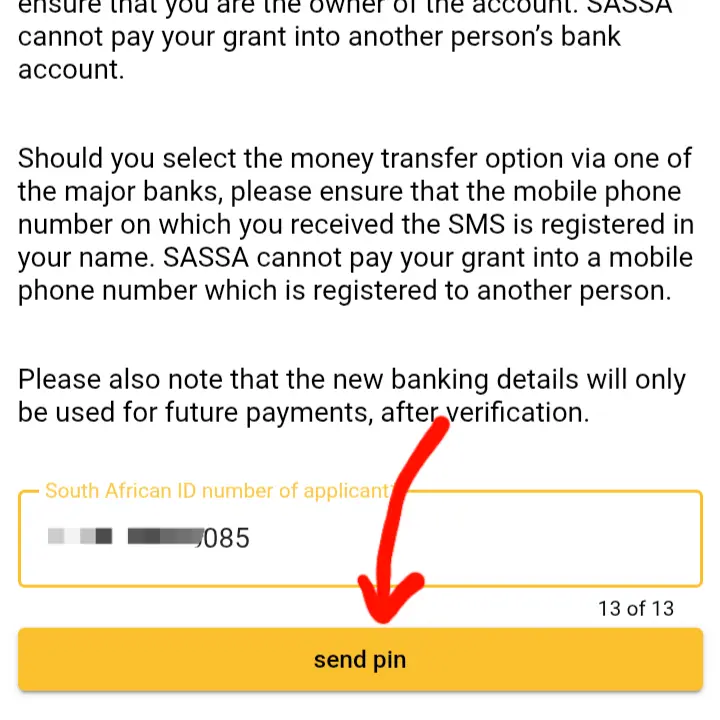
On the next page, provide your 13-digit South African ID Number. The system will use the phone number you registered with. Click the “Send Pin” button to proceed.
Enter the OTP and Submit
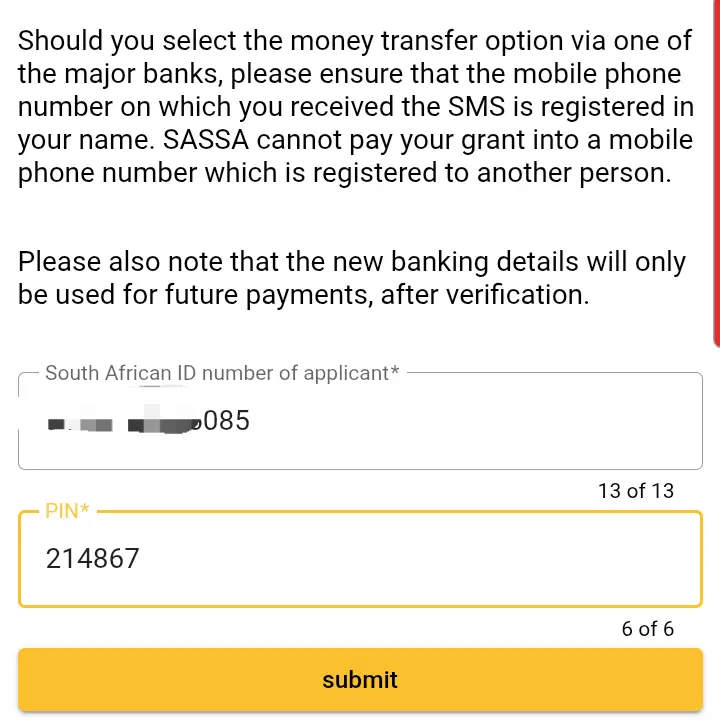
You will receive a 6-digit One Time Pin (OTP) via SMS to your registered phone number. Enter this code into the “Pin” field on the website and click “Submit” to confirm your identity.
Begin Identity Verification
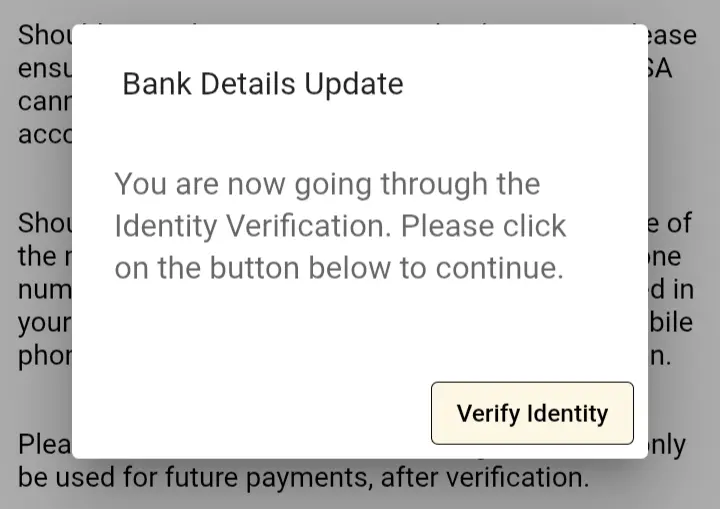
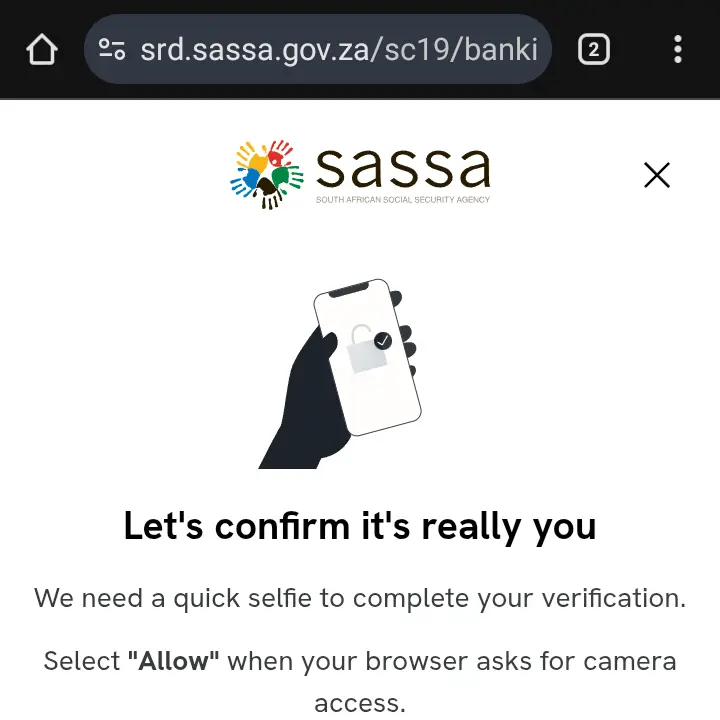
After verifying the pin, a pop-up window will appear. This is a crucial security step. Click the “Verify Identity” button to proceed.
Allow Camera Access and Complete Scan
Your browser will ask for permission to use your camera for a facial recognition scan. Click “Allow”. Follow the on-screen instructions to complete the scan successfully.
Update Your Banking Details
Once you pass the identity verification, you will be redirected to a new page where you can securely enter your new bank account details. After submitting, you will receive an SMS confirming the update. Your next payment will be sent to this new account.
Finished the Guide? Update Your Details.
You have the knowledge. Now you can change your banking details with confidence.
Go to Official SASSA SiteAfter Updating Your Details
Once your details are updated, it’s a good idea to check your SRD status to ensure everything is processed correctly. A common status after an update is “Bank Details Pending,” which is normal while SASSA verifies your new account.
Understand Your Status After the ChangeAdvertisement
Frequently Asked Questions (FAQ)
Can I use someone else’s bank account?
No. This is extremely important. For security and to prevent fraud, the bank account details you provide must be in your own name. SASSA will verify this, and payments will fail if the name on the bank account does not match the name on the grant application.
What if I don’t have a bank account?
If you do not have a bank account, you can select the “Cash Send” option to collect your payment from participating retailers like Pick n Pay, Boxer, or Shoprite. However, having your own bank account is the recommended and safest method.
How long does it take for the new bank details to become active?
After you submit your new details, SASSA needs to verify them. This can take several business days. You should perform a SASSA status check after about 7 days to see if the “Bank Details Pending” status has been cleared.
Will my payment be delayed if I change my banking details?
It is possible. If you change your details close to a payment date, your payment for that month might be delayed while SASSA verifies the new account. It is best to update your details as soon as possible and well before any expected payment periods.
Can I change from a bank account to the Cash Send option?
Yes. You can follow the same process to change your payment method. Instead of providing new bank account details, you will have the option to select a mobile money transfer or Cash Send option for collection at approved pay points.
