
How to Lodge & Check a SASSA Appeal
Was your SRD grant declined? Don’t panic. This complete guide provides a step-by-step walkthrough of the official SASSA appeal online process to help you succeed.
Read the Step-by-Step GuideIf your SASSA SRD grant application was declined and you disagree with the reason, you have the right to appeal the decision. This process is handled by the Independent Tribunal for Social Assistance Appeals (ITSAA), not by SASSA directly. This guide will show you exactly how to lodge your sassa appeal online and how to perform an srd appeal status check.
Before You Appeal: A Critical Checklist
To give your appeal the best chance of success, make sure you do the following first:
- Know Your Decline Reason: First, perform an SRD status check to see the exact reason you were declined. If the reason is “source_of_income_identified” but you were unemployed, you have a strong case for an appeal.
- Understand the Deadline: You must lodge your appeal within 30 days (but not exceeding 90 days) of receiving your declined status for that month.
- Appeal Each Month Separately: You must submit a separate sassa appeal for R350 or R370 for each individual month that you were declined.
- Have Your Details Ready: You will need your South African ID number and the cell phone number you used for your application.
Advertisement
How to Lodge Your SASSA Appeal Online: Step-by-Step
Follow this official, foolproof guide to submit your srd sassa gov za appeal correctly.
Go to the Official Appeals Website
Navigate to the official SASSA appeals website by visiting this link: srd.sassa.gov.za/appeals/. This is the only legitimate website for lodging and checking appeals.
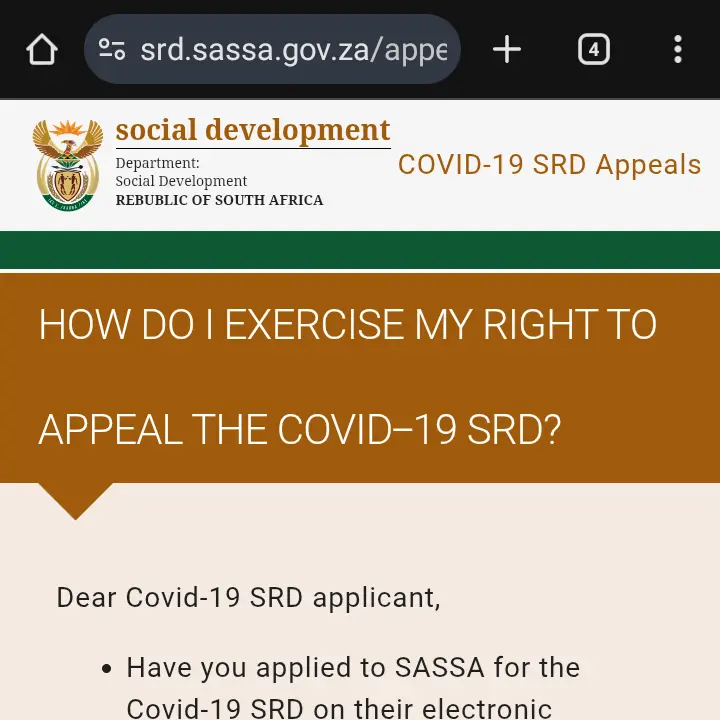
Find and Click the Appeal Link
On the appeals homepage, scroll down until you see the green bar with the link “Click here to lodge an appeal or check appeal status”. Click this link to proceed to the login section.
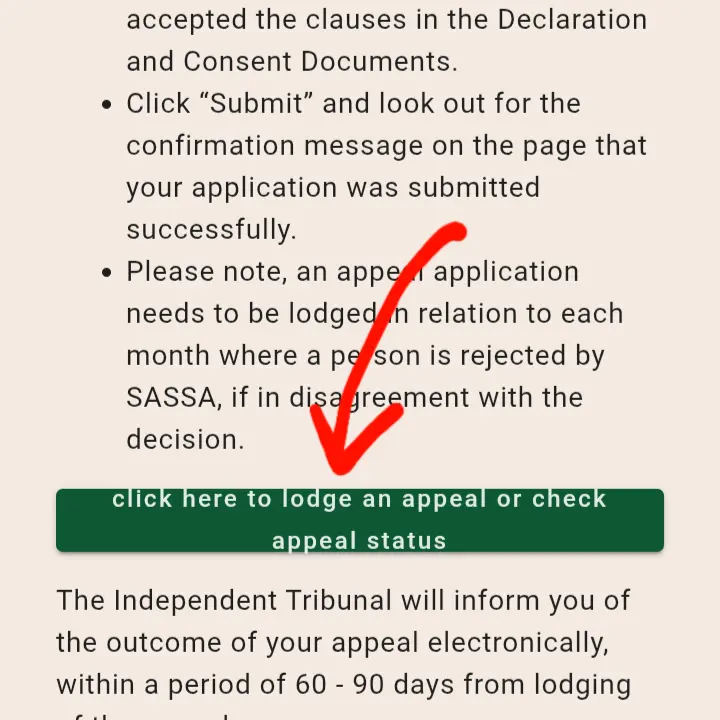
Enter Your Identification Details
Provide your 13-digit South African ID Number and the cell phone number you used for your initial SASSA application. Click the “Send Pin” button.
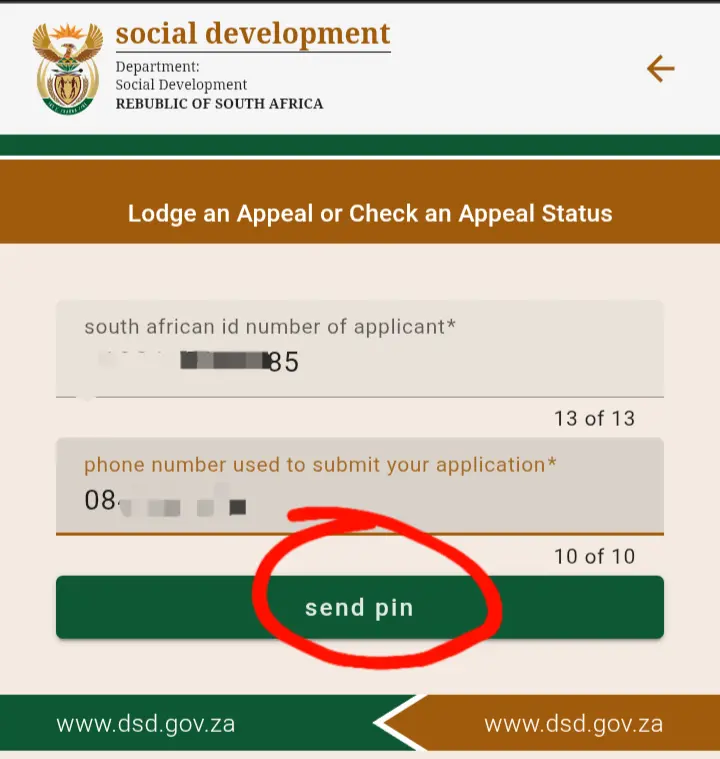
Verify Your PIN Code
You will receive a 6-digit One Time Pin (OTP) via SMS. Enter this code into the box provided and click “Verify Pin”. This confirms your identity.
Choose the Month and Select the Reason
Once verified, the system will show you a list of months for which your application was declined. First, select the specific month you wish to appeal. Then, you must select a reason for your appeal from a dropdown menu. It is crucial that you select the reason that directly contradicts the decline reason SASSA gave you (e.g., if declined for ‘source_of_income’, you must select ‘no_source_of_income_found’).
Submit and Confirm
Agree to the Declaration and Consent clauses and click “Submit”. You should see a confirmation message that your appeal has been lodged successfully.
Finished the Guide? Lodge Your Appeal.
You have the knowledge. Now you can appeal with confidence on the official website.
Go to Official Appeals SiteWhat Does Your Decline Reason Mean?
Before you appeal, it is crucial to understand why SASSA declined your application. Our guide to status meanings explains every decline reason in detail so you can build a stronger appeal case.
Understand All Status MeaningsHow to Do an SRD Appeal Status Check
Once you have lodged your appeal, you need to check its progress. The process for an srd appeal status check is almost identical to lodging the appeal.
- Return to the official appeals website: srd.sassa.gov.za/appeals/.
- Follow steps 2, 3, and 4 from the guide above (click the link, enter your details, and verify the PIN).
- Once you are logged in, the system will display the status of your lodged appeals (e.g., “Pending,” “Approved,” “Denied”).
Advertisement
Frequently Asked Questions (FAQ)
How long does a SASSA appeal take?
The Independent Tribunal (ITSAA) aims to finalize appeals within 60 to 90 days. However, this can vary based on the complexity of your case and the number of appeals they are processing. It is important to perform an srd appeal status check periodically.
What happens if my appeal is successful?
If your appeal is successful, the Independent Tribunal will direct SASSA to overturn the declined decision and process your payment for that month. You do not need to do anything further; SASSA will handle the payment automatically.
Can I appeal for multiple months at the same time?
You must submit a separate appeal for each individual month that you were declined. You cannot submit one appeal for multiple months. This is a very important step to remember for your sassa appeal for r350 or R370.
What if I miss the 90-day deadline to appeal?
Unfortunately, the 90-day period is a strict deadline. If you miss it, you lose your right to appeal for that specific month and the decision becomes final. This is why it is crucial to check your status regularly and act quickly if you are declined.
Who is the ITSAA?
The ITSAA (Independent Tribunal for Social Assistance Appeals) is a separate legal body from SASSA. Its job is to provide a fair and independent review of SASSA’s decisions. This separation ensures that your appeal is looked at impartially.
